

If you spend long hours working at a desk, high workstation, laboratory bench or factory station, discomfort can gradually become part of your working day. A stiff lower back, tired shoulders, aching legs and reduced concentration are common signs that your seating or workstation may not be supporting you properly.
But don’t worry. Choosing the right chair, setting it up correctly and building regular movement into your routine can make a meaningful difference to your comfort and efficiency.
This guide explains how to compare ergonomic office chairs, draughtsman chairs and industrial seating, so you can select the right support for your work zone.
Why prolonged sitting can cause back pain and fatigue
Sitting itself is not necessarily harmful. The problem is often sitting in one position for too long, particularly when your back is unsupported, your screen is poorly positioned or your chair does not suit your body.
A static posture can place continued load on the same muscles and joints. If you lean forwards towards a screen or slump into a chair, your spine may lose its natural curves. Your back and neck muscles then have to work harder to hold your head and upper body in position.
Over time, this can contribute to:
- Lower-back stiffness and discomfort
- Neck and shoulder tension
- Pressure behind the knees
- Tired legs and reduced circulation
- General muscular fatigue
- Reduced concentration and productivity
Cambridge University Hospitals’ seating and ergonomics guidance explains that poor sitting posture can aggravate back and neck pain. It also highlights the importance of maintaining the spine’s natural “S” shape, using suitable lumbar support and changing position regularly.
The NHS guidance on back pain also encourages staying active and seeking medical advice when pain is persistent, severe or accompanied by concerning symptoms. A chair can support better working habits, but it is not a substitute for professional assessment if you are experiencing ongoing pain.
What to look for in ergonomic office chairs
For a standard-height desk, a well-adjusted office chair should allow you to sit close to your workstation without leaning forwards. The best design for you will depend on your height, body shape, working style and how frequently you change position.
1. Adjustable lumbar support
Lumbar support helps fill the natural curve of your lower back. Look for a backrest that supports the lumbar area without pushing you forwards.
Ideally, the support should be adjustable or positioned at the correct height for you. If a chair does not provide enough support, a small lumbar roll may help, but it should not force your back into an uncomfortable position.
2. Suitable seat depth
Your seat should support most of your thighs without pressing into the backs of your knees.
As a simple check:
- Sit fully back in the chair.
- Keep your feet supported.
- Leave a small gap between the seat edge and the backs of your knees.
- Make sure you are not perching on the front of the seat.
A seat that is too deep may encourage you to slump forwards. A seat that is too short may leave your thighs without enough support.
3. Adjustable armrests
Armrests should allow your shoulders to remain relaxed while your elbows sit comfortably near your sides. Adjustable height is particularly useful if more than one person will use the chair.
Armrests that are too high can create shoulder tension. Armrests that are too low may encourage you to lean to one side.
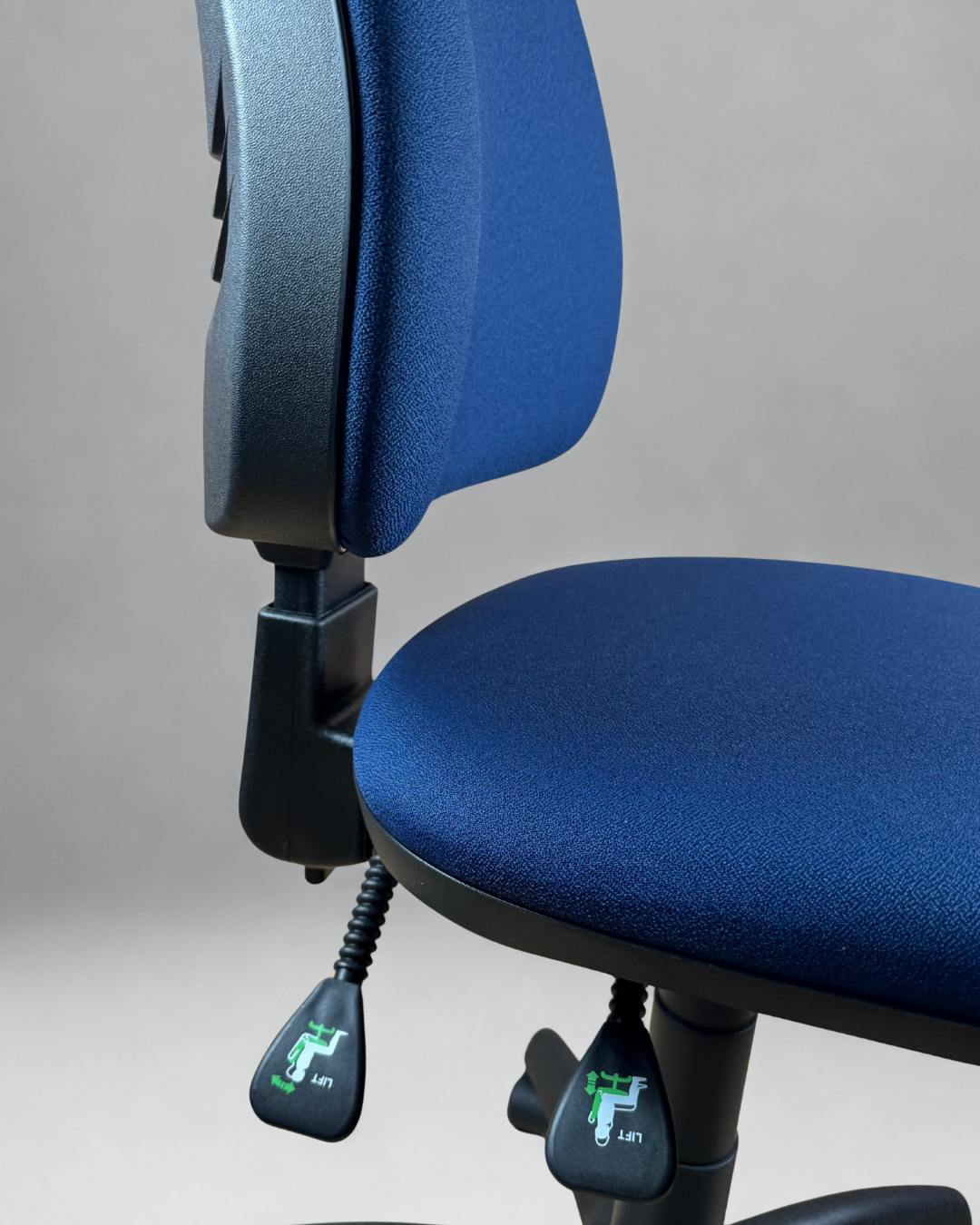
4. Tilt and recline mechanism
A tilt mechanism allows you to vary your posture rather than remaining rigidly upright. This is useful because no single sitting position is ideal for every task.
Look for a chair that allows you to:
- Adjust the backrest angle
- Lock the backrest when required
- Use a free-floating or dynamic position where appropriate
- Adjust the seat tilt on more advanced models
A chair with a permanent contact back, such as the Mist Premium Office Chair, is designed to keep the backrest in contact with you as you move. The product also offers adjustable back height, optional adjustable arms and different mechanism options.
5. Breathable, practical material
Mesh backs can improve airflow, which may be helpful if you work in a warm room or move frequently during the day. Fabric upholstery can offer a softer, more cushioned feel, while vinyl or polyurethane may be easier to wipe clean in technical environments.
The right material depends on your priorities:
- Mesh: Breathability and flexible back support
- Fabric: Softness and a wide choice of colours
- Vinyl: Easy cleaning and practical maintenance
- Polyurethane: Hard-wearing and suitable for demanding work areas
Explore Chilli Seating’s office chair collection for options ranging from budget computer chairs to adjustable models designed for longer working sessions.
Draughtsman chairs: the right choice for high workstations
A standard office chair is designed for a conventional desk. If you work at a high desk, drafting table, laboratory bench or raised production surface, raising a regular chair may leave your feet unsupported and your arms at the wrong height.
This is where draughtsman chairs differ.
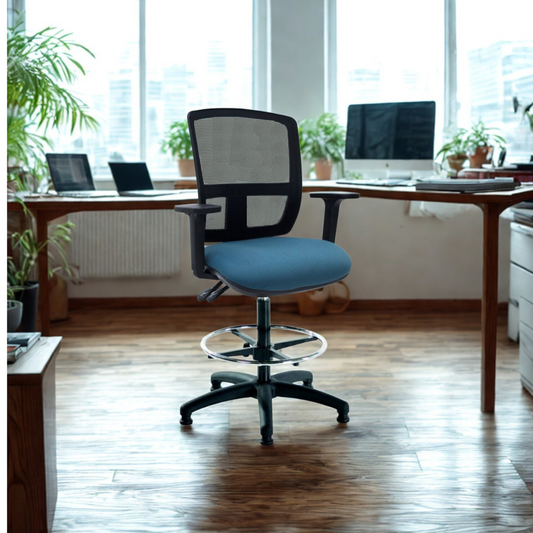
They are built with a taller gas lift and usually include a footring, allowing you to work comfortably at an elevated surface. The additional height helps you maintain a better relationship with the desk or bench while keeping your feet supported.
Why a draughtsman chair can suit your work
A draughtsman chair may be appropriate if you:
- Work at a laboratory or technical bench
- Use a high desk or drafting table
- Alternate between sitting and standing
- Need to reach materials across a raised workstation
- Prefer a more active, perch-style sitting position
- Move between several nearby work areas
The footring is important because your feet may not reach the floor when the seat is raised. It gives your lower legs somewhere stable to rest and can reduce the feeling of dangling legs.
Some models combine the taller design with features found in ergonomic office chairs, including adjustable arms, contoured backrests, mesh panels and tilt mechanisms. For example, the Flexi-Mesh Draughtsman Chair is listed with a high-rise gas lift, adjustable footring and a mesh back.
That being said, a draughtsman chair is not automatically the best choice for every high workstation. Check the chair’s height range against the actual working height of your bench or desk. Your elbows should remain close to your sides, and you should not have to lift your shoulders to reach the work surface.
Industrial seating: durability meets task support
In a factory, laboratory, workshop or production environment, comfort matters: but it is not the only consideration. The chair must also withstand the conditions of the workplace.
Industrial seating is usually designed with durability, cleanability and task support in mind. Depending on the environment, you may need:
- Hard-wearing upholstery or polyurethane surfaces
- Easy-clean materials for spills and frequent wiping
- A stable five-star base
- Adjustable height and back support
- Durable components for repeated daily use
- Appropriate castors for the flooring
- Anti-static or ESD-safe construction
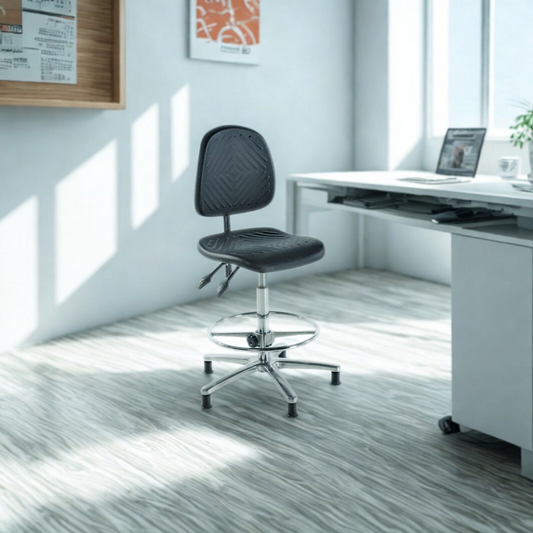
ESD-safe chairs are designed for environments where controlling static electricity is important, such as electronics assembly, testing or certain technical production areas. The ESD Polyurethane Draughtsman Chair is one example of a specialist option listed within Chilli Seating’s factory and laboratory range.
For a lower workstation, a factory chair may be more suitable than a draughtsman model. The Polyurethane Factory Chair uses a practical material suited to workplaces where cleanability and resilience are important.
How to match the right chair to your work zone
Before diving into product features, identify the surface you work at and the tasks you perform most often.
Standard office or home office desk
Choose:
- An adjustable office chair
- Lumbar support
- Suitable seat depth
- Adjustable armrests where possible
- A breathable mesh or supportive fabric back
- A tilt mechanism if you work for extended periods
Browse the Chilli Seating office chair range for models suitable for home offices, computer workstations and corporate desks.
High desk, drafting table or sit-stand setup
Choose:
- A draughtsman chair with a suitable height range
- An adjustable footring
- A supportive backrest
- A stable base
- A seat that allows comfortable active sitting
- Optional arms if they do not interfere with your task
Measure the desk height before ordering. A chair that is too low or too high can cause shoulder, wrist and back strain.
Laboratory or clean technical environment
Choose:
- Easy-clean vinyl or polyurethane
- A height range suited to the bench
- A stable base and suitable castors
- A backrest that supports your working posture
- ESD-safe construction if required by your process
The factory and lab chair collection includes draughtsman, factory and specialist ESD options.
Factory, workshop or production floor
Choose:
- Durable, easy-clean materials
- Robust construction
- Appropriate mobility for the floor surface
- A footring if the workstation is raised
- Stable seating for precision tasks
- Adjustability to accommodate different users
Consider the practical demands of the environment before focusing on appearance. A chair that is easy to clean and maintain may provide better long-term value than a softer but less suitable upholstery.
Setting up your chair and workstation
Even a well-designed chair needs to be adjusted properly. Use these steps when setting up your workstation:
- Set the seat height: Keep your feet flat on the floor, or use a footrest if necessary. Your hips should be level with or slightly higher than your knees.
- Sit fully back: Allow the backrest to support your pelvis and lower back. Avoid perching on the front edge.
- Position the lumbar support: Place it into the natural curve of your lower back, rather than too high or too low.
- Adjust the armrests: Keep your shoulders relaxed and your elbows comfortably supported.
- Set your monitor: Position the screen approximately at arm’s length, with the top area near eye level. You should not need to bend your neck down for long periods.
- Keep equipment close: Place your keyboard, mouse and frequently used items within easy reach.
- Change position regularly: Stand, walk briefly or reset your posture every 20–30 minutes where possible.
Movement is essential. Even the most supportive chair cannot compensate for remaining completely still throughout the day. Use natural pauses, reminders or short walks to break up static sitting.
The best of both worlds: budget and premium options
You do not always need the most expensive chair to improve your workstation. A budget-friendly model with suitable height adjustment, basic back support and a correctly sized seat may be a significant improvement over an unsuitable chair.
Premium ergonomic models can offer more precise adjustment, stronger mechanisms, improved materials and greater flexibility for different users. These features may be particularly worthwhile when a chair is used for long working sessions or shared across a team.
In short, focus on the features that address your actual needs. A reasonably priced chair that fits you and your workstation is often a better choice than an expensive chair that cannot be adjusted correctly.
A healthier, more productive way to work
The right chair should support your body, suit your work surface and encourage you to vary your position. Ergonomic office chairs are generally suited to standard desks, draughtsman chairs are designed for elevated workstations, and industrial seating provides the durability and task-specific features needed in factories, laboratories and workshops.
Take time to measure your workstation, compare the available adjustments and set your chair up carefully. Combine good seating with regular movement breaks and sensible screen positioning, and you can reduce unnecessary strain while supporting greater comfort, focus and productivity over the long term.
If back pain continues, becomes severe or is accompanied by numbness, weakness or other worrying symptoms, consult a qualified healthcare professional or follow the relevant NHS advice.