

If you spend hours at a desk, an uncomfortable chair can quickly become more than a minor annoyance.
Stiffness, pressure behind your knees, aching shoulders and constant fidgeting can all make it harder to concentrate and enjoy your working day.
The right chair will not solve every workplace problem, but it can provide the support and adjustability you need to work more comfortably. This guide explains what to look for when choosing ergonomic office chairs for a corporate office, home workspace, laboratory, workshop or technical environment.
What Makes a Chair Ergonomic?
“Ergonomic” does not simply mean a chair has a modern shape or thick padding. A genuinely ergonomic chair should be adjustable enough to suit your body, desk and working habits.
The most important features include:
- Adjustable seat height to support your feet and legs
- Lumbar support for the natural curve of your lower back
- A suitable seat depth so the seat does not press behind your knees
- An adjustable backrest that supports upright and slightly reclined positions
- Adjustable armrests to keep your shoulders relaxed
- A stable five-star base for safe movement and support
- Comfortable, durable upholstery suited to the environment
Guidance from the UK Health and Safety Executive (HSE) recommends an adjustable chair with firm lower-back support. It also stresses that your feet should be supported, either on the floor or a footrest, with your thighs roughly horizontal.
In short, the best ergonomic office chairs are designed to fit you: not force you into a fixed position.
Step 1: Check the Essential Adjustments
Before diving into materials, colours or design, focus on the adjustments that affect your posture and comfort.
Seat height
Your chair should adjust so that:
- Your feet rest flat on the floor or a footrest
- Your knees are roughly level with, or slightly lower than, your hips
- Your thighs are approximately horizontal
- Your lower legs are close to vertical
- Your elbows can rest comfortably at desk level
If you raise your chair to match a tall desk and your feet no longer reach the floor, use a footrest rather than allowing your legs to dangle.
Seat depth
Seat depth is often overlooked, but it matters greatly. You should be able to sit with your back against the backrest while leaving a small gap: approximately two or three fingers: between the front of the seat and the backs of your knees.
A seat that is too deep may push against your legs and prevent you from using the lumbar support properly. A seat that is too shallow may leave your thighs without enough support.
Lumbar support
The lumbar support should sit comfortably in the inward curve of your lower back. Ideally, it should be adjustable in height and, where possible, depth.
The right level of support should feel reassuring rather than intrusive. If it presses sharply into your back, reduce the pressure or adjust its height.
Backrest recline
You should not have to remain rigidly upright all day. A backrest that reclines with controlled tension allows you to vary your position while continuing to support your back.
This is important because there is no single “perfect” posture that should be held continuously. Changing position regularly is generally more practical and comfortable than locking yourself into one pose.
Step 2: Choose the Right Chair for Your Workspace
Once you know what you need from your chair, consider the type of work you do.
For computer and home office work
For a standard desk, look for a supportive backrest, adjustable height and comfortable seat cushioning. Breathable mesh can be useful if you work in a warm room, while fabric upholstery can provide a softer, more traditional feel.
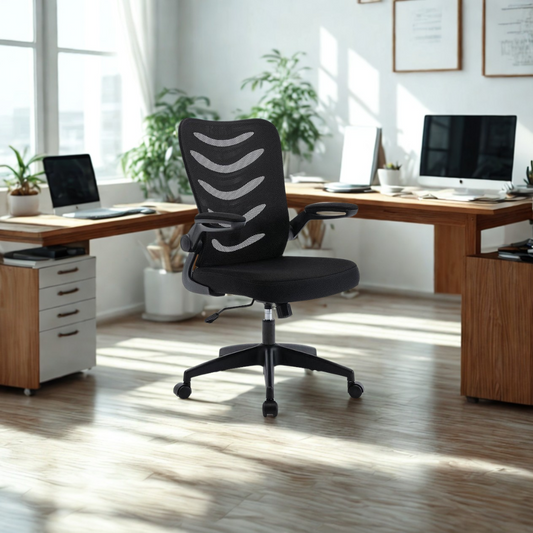
Chilli Seating’s office chair collection includes options ranging from practical computer chairs to more fully adjustable designs. For example, the Merlin Mesh Back Chair combines a breathable back with a padded seat and flip-up arms, making it suitable for flexible office environments.
Premium chairs may offer seat slides, adjustable lumbar depth, multi-directional armrests and advanced tilt mechanisms. These features can be valuable if you work full-time at a desk, share a workstation or need to accommodate different users.
That being said, a more affordable chair can still be effective if it fits your body correctly and provides the essential adjustments.
For high desks, counters and technical work
Standard office chairs are not suitable for elevated work surfaces. If you work at a laboratory bench, drafting table, reception counter or high workshop desk, you may need draughtsman chairs.
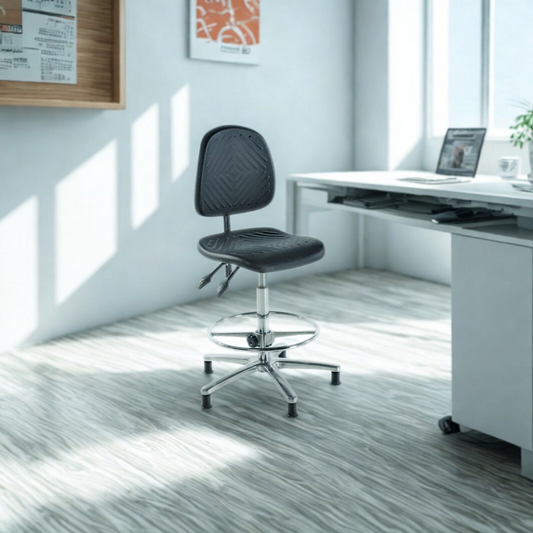
Draughtsman chairs are taller than standard office chairs and usually include a foot ring or footrest. This supports your legs while allowing you to work comfortably at an elevated height.
The Chilli Seating draughtsman chair collection includes fabric, vinyl, mesh and polyurethane options. The Juno Max Draughtsman Chair, for example, is listed with a seat slide, seat tilt and lumbar support: features that can help you fine-tune your position during longer working periods.

For laboratories, factories and workshops
Industrial seating must balance ergonomic support with durability, hygiene and practicality. In these settings, the best chair is not necessarily the softest one. It should also be easy to clean, resistant to daily wear and suitable for the surrounding conditions.
Polyurethane seating is often useful where wipe-clean surfaces are important. In electronics and manufacturing environments, an ESD-safe chair may be required to help control electrostatic discharge.
Chilli Seating’s factory and lab chair collection includes robust options for demanding workplaces. Its ESD chair range is designed for environments where electrostatic protection is an important consideration.
Step 3: Match the Chair to Your Body
A chair that feels comfortable for one person may be unsuitable for another. Before buying, check the following specifications:
- Seat height range: Does it suit your leg length and desk height?
- Seat width: Can you sit comfortably without feeling restricted?
- Seat depth: Does it allow a small gap behind your knees?
- Backrest height: Does it support the area of your back that needs it?
- Weight capacity: Is it suitable for regular, intensive use?
- Armrest height: Can your shoulders remain relaxed while working?
If several people will use the same chair, prioritise a wide range of adjustment. In a home office, take measurements of your desk and available space before ordering.
But don’t worry if you cannot invest in every premium feature. Start with the fundamentals: adjustable height, suitable lumbar support, a stable base and a seat that fits your legs. These will usually make a greater difference than extra features you are unlikely to use.
Step 4: Adjust Your Chair Correctly
Even the best chair will not perform well if it is set up incorrectly. Use this simple process:
- Sit fully back in the chair rather than perching on the front edge.
- Adjust the height until your feet are supported and your knees are roughly level with your hips.
- Set the seat depth so there is a small gap behind your knees.
- Position the lumbar support in the natural curve of your lower back.
- Adjust the backrest tension so you can recline gently without falling backwards.
- Set the armrests so your elbows are close to your body and your shoulders stay relaxed.
- Move the chair close to the desk so you do not lean forward to reach your keyboard or paperwork.
The NHS guidance from Cambridge University Hospitals also recommends supporting the natural curves of your spine, keeping your hips slightly higher than your knees and adjusting the workstation to suit you.
Step 5: Consider the Whole Workstation
Your chair is only one part of an ergonomic setup. A poor desk or monitor position can undermine an otherwise supportive chair.
Check that:
- Your monitor is directly in front of you
- The top of the screen is approximately at eye level
- Your keyboard and mouse are close enough to avoid reaching
- Your wrists remain straight while typing
- Your desk provides enough legroom
- You can change position and stand regularly
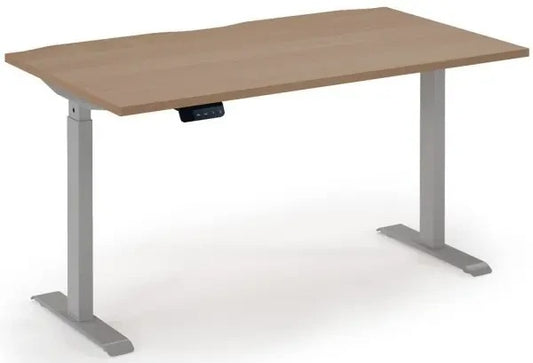
A height-adjustable desk can make it easier to vary your working position throughout the day. Chilli Seating’s desk collection includes practical home office desks as well as sit-stand options, including the Dams Elev8 Contract Sit-Stand Desk.
Regular movement is just as important as chair adjustment. The HSE advises changing posture and taking breaks from prolonged static positions. Consider standing, walking or stretching briefly throughout the day rather than waiting until discomfort develops.
Your Ergonomic Office Chair Checklist
Before you buy, ask yourself:
- Can I adjust the seat height correctly?
- Will my feet remain supported?
- Does the seat depth suit my legs?
- Does the backrest support my lower back?
- Can I recline or change position comfortably?
- Are the armrests adjustable enough for my shoulders and elbows?
- Is the material suitable for my working environment?
- Does the chair meet any industrial, hygiene or ESD requirements?
- Will it work with my existing desk?
If you are furnishing a business environment, also consider consistency, durability and long-term value. A well-chosen range of office chairs, draughtsman chairs or industrial seating can support employee comfort while creating a more professional workspace. Chilli Seating also offers custom embroidery, allowing businesses to add company branding to selected chairs.
Final Thoughts
Choosing a chair should not be based on appearance alone. The right ergonomic office chairs support your body, adapt to your working position and work effectively alongside your desk and equipment.
Whether you need an affordable home office chair, fully adjustable seating for long desk hours or durable industrial seating for a laboratory or workshop, the best choice is the one that fits both the user and the task.
In short, prioritise adjustability, proper support, durable materials and regular movement. These decisions can help reduce everyday discomfort, improve concentration and create a healthier, more productive working environment over the long term.